01
Build a routine
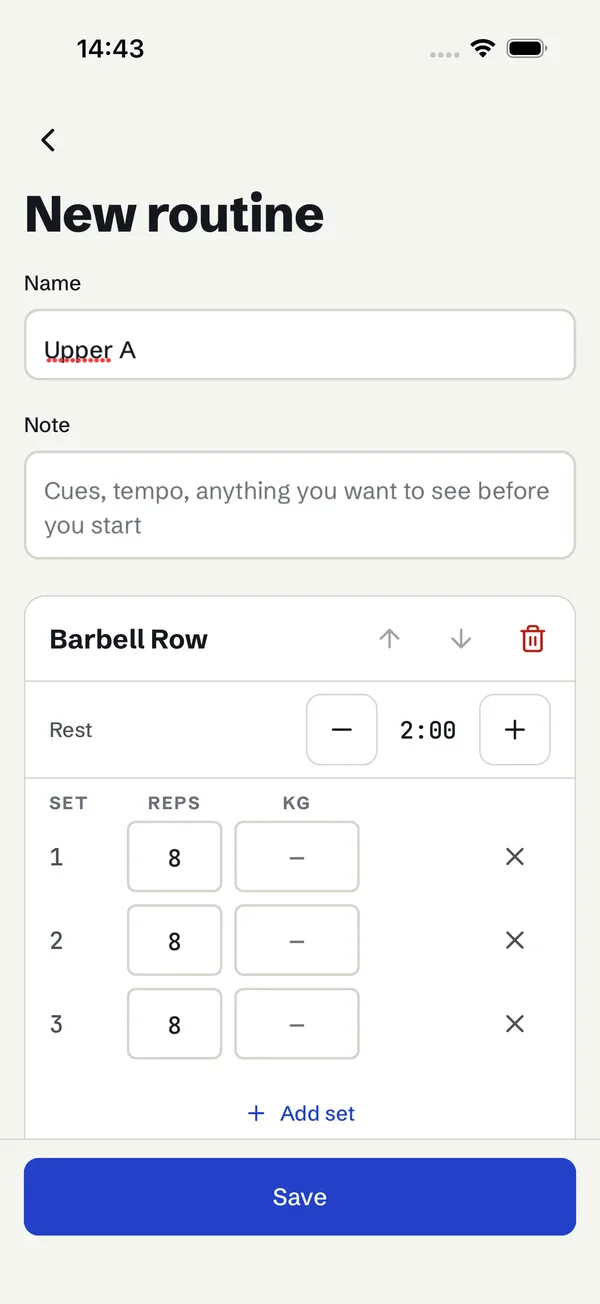
- Search 38 built-in exercises or filter by muscle group; add your own.
- Set target sets, reps, weight and rest per exercise; reorder.
- Validation explains what is missing; unsaved edits ask before leaving.
React Native · Expo SDK 57 · TypeScript
Repkivo is a complete iOS and Android app for people who log every set: build routines, run a workout with a rest timer, then compare today with last time. Data stays on the device. You get the source to rebrand and publish as your own app.
Working journeys
Every control in these flows works and saves. Nothing pretends to talk to a server.
01
02
03
Details that matter mid-set
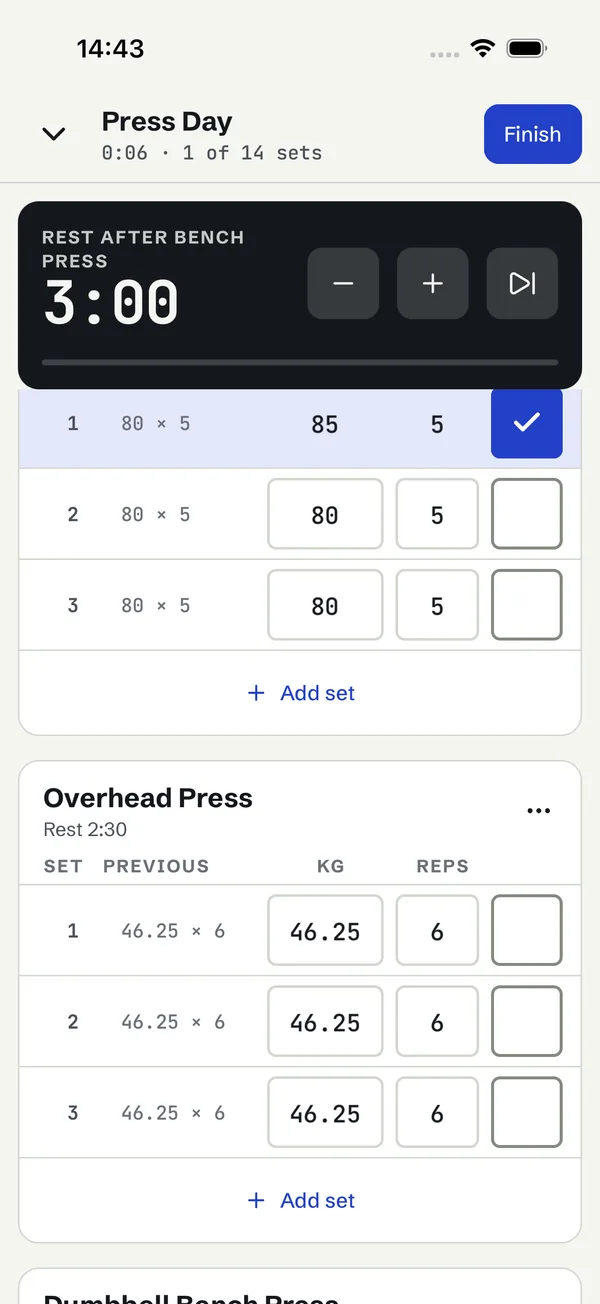
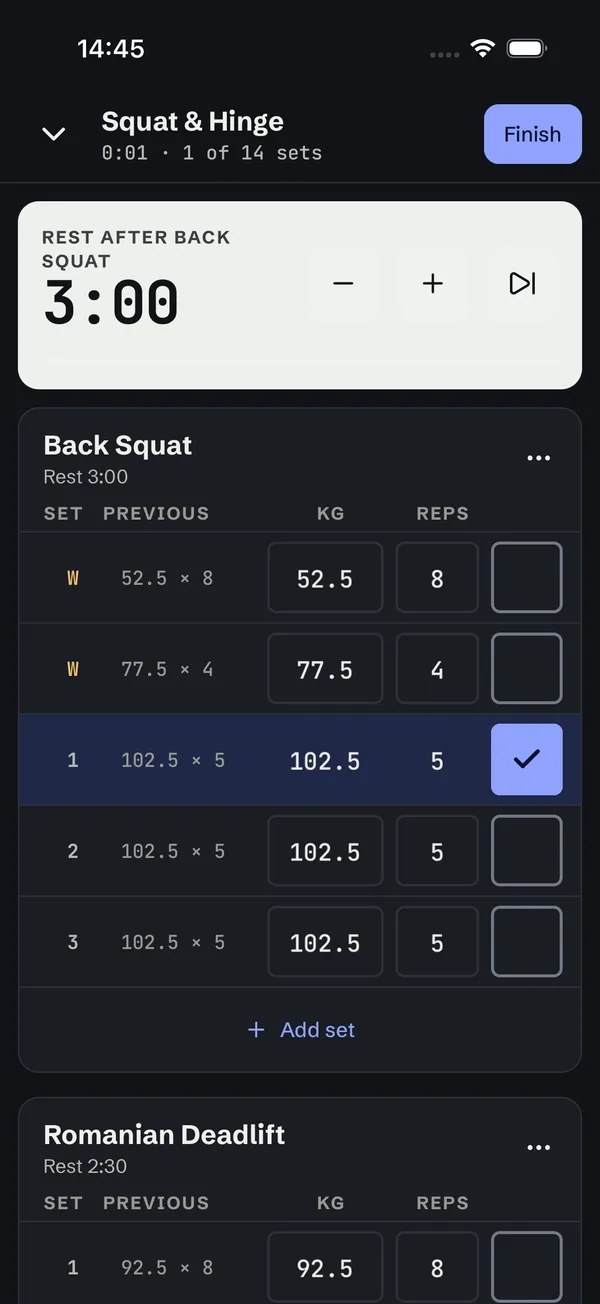
The workout start and rest end are stored as times, so the countdown is correct after the phone was locked or the app was killed.
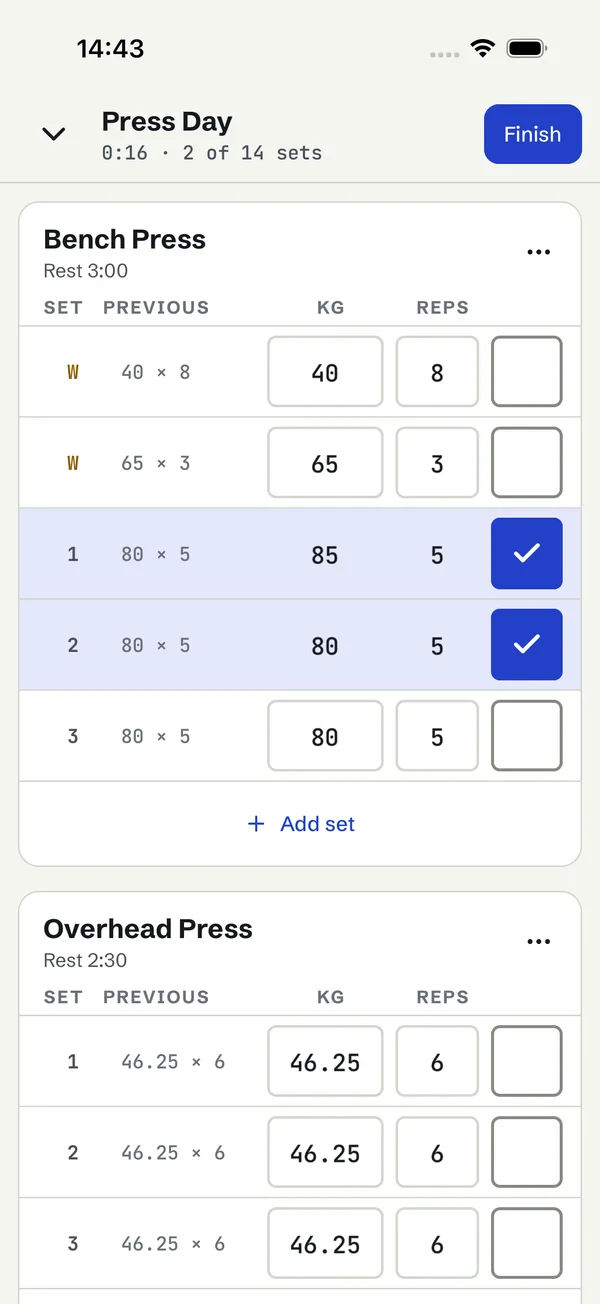
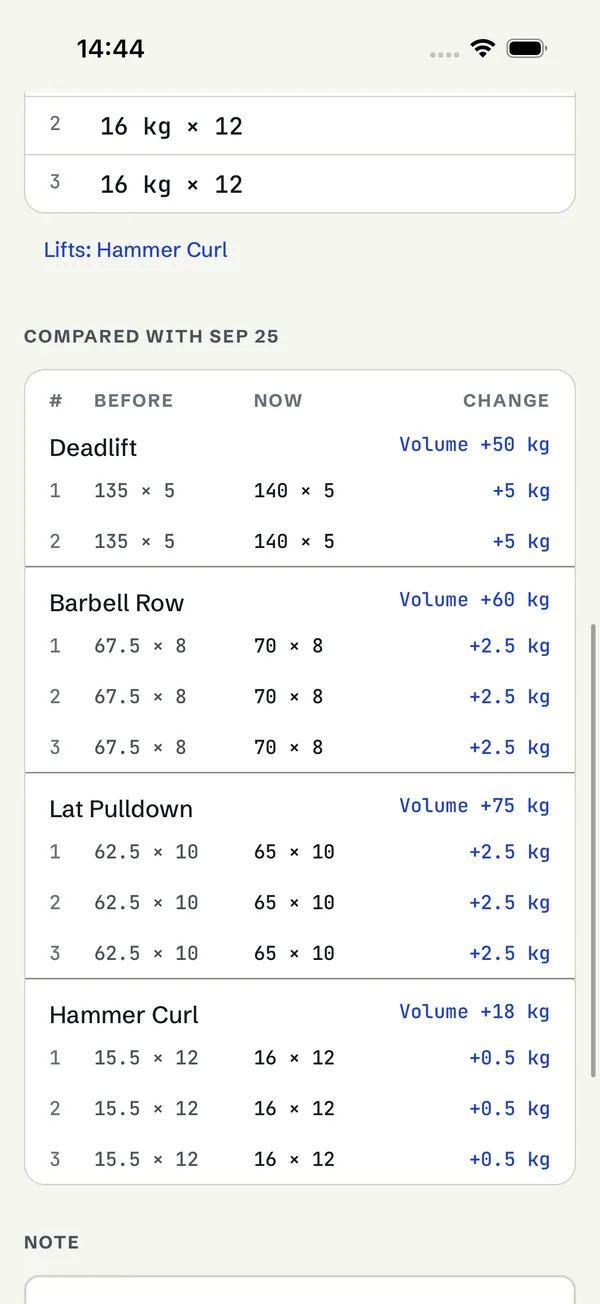
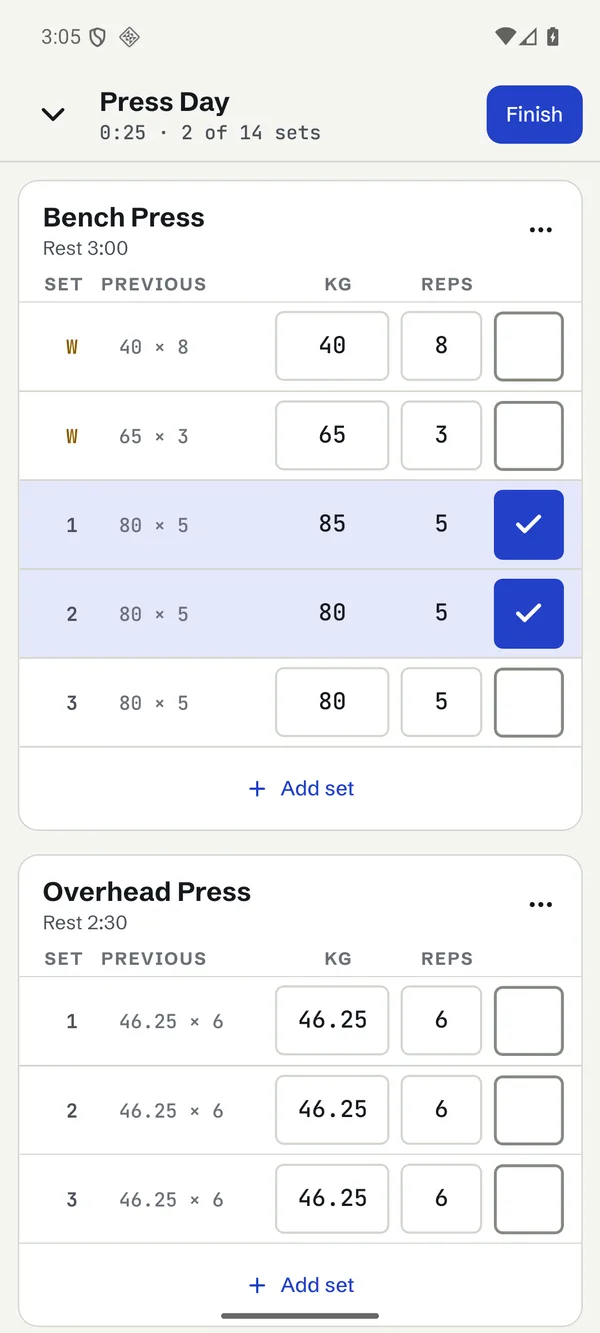
Each row shows what you lifted last time for the same set, matched by set type, and copies it in one tap.
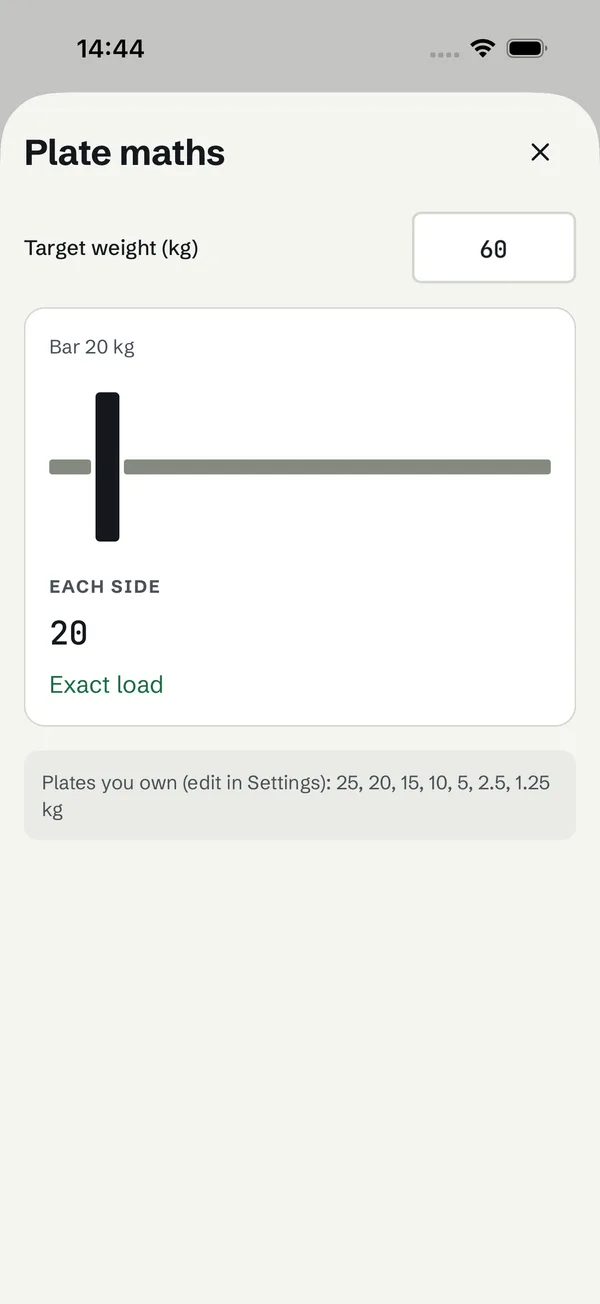
Pick the plate sizes you own; the calculator finds exact loads greedy loading misses and says how far off the closest load is.
JSON backup and restore, plus CSV export in the column order Strong uses, through the system share sheet.
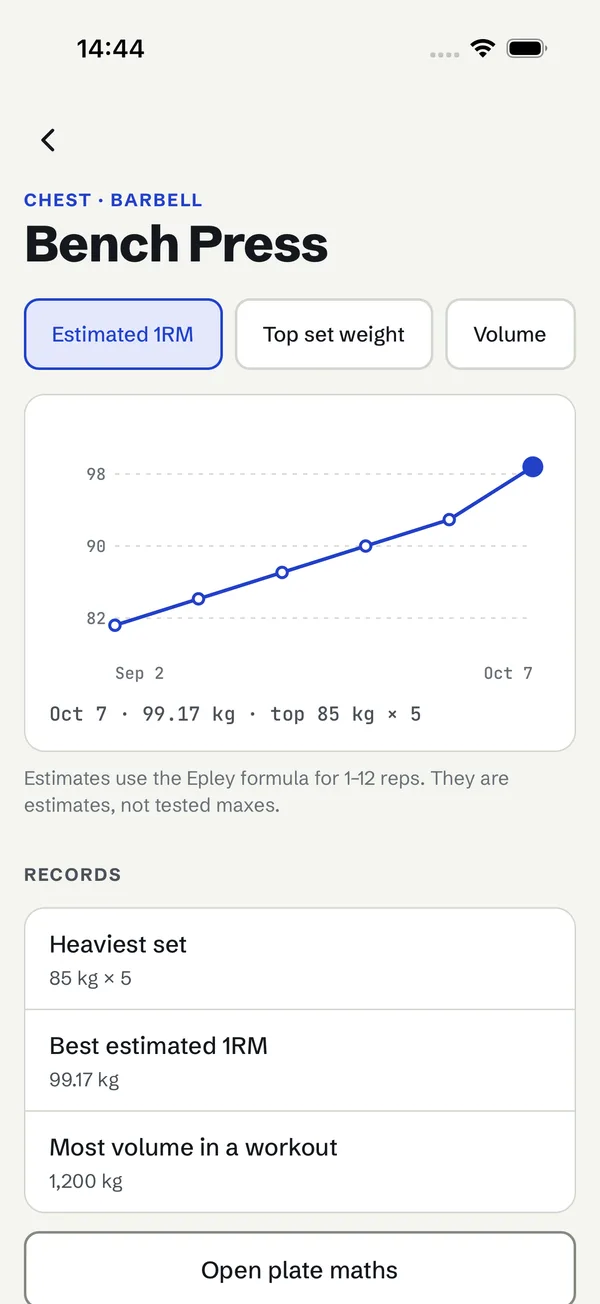
Epley or Brzycki estimates for 1–12 reps only, labelled as estimates; warm-ups never count towards volume or records.
Set rows read as “Working set 2 of 3, 80 kilograms, 5 reps, completed”; large text, dark mode and reduced motion are supported.
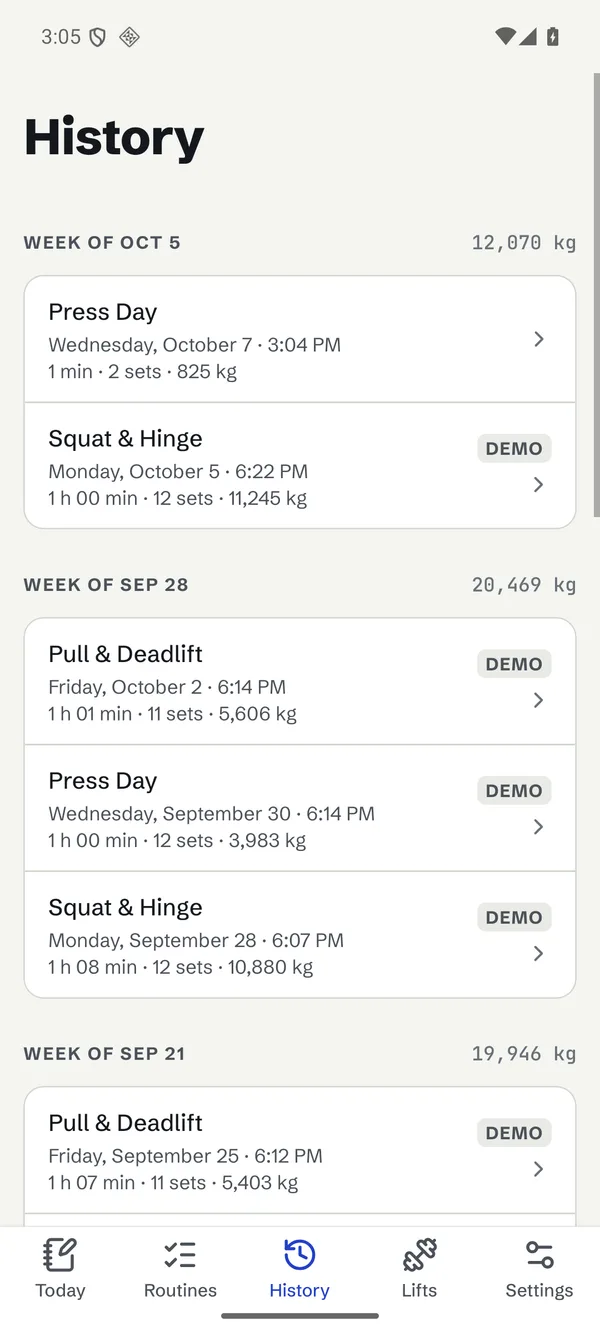
Real screens
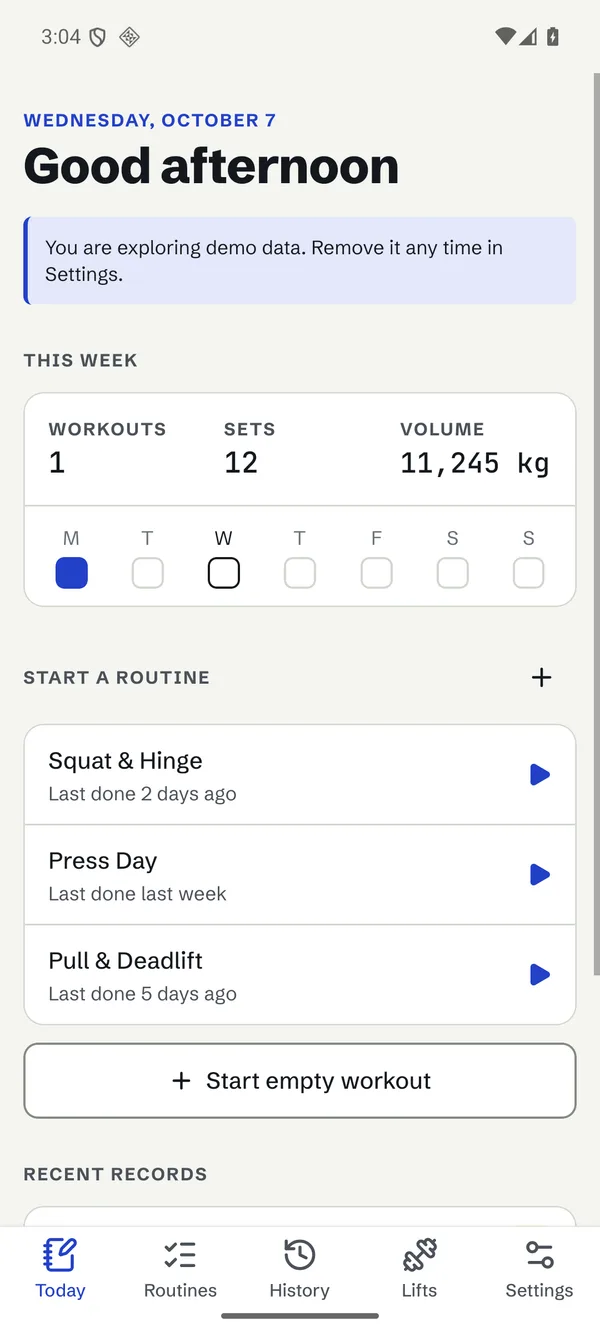
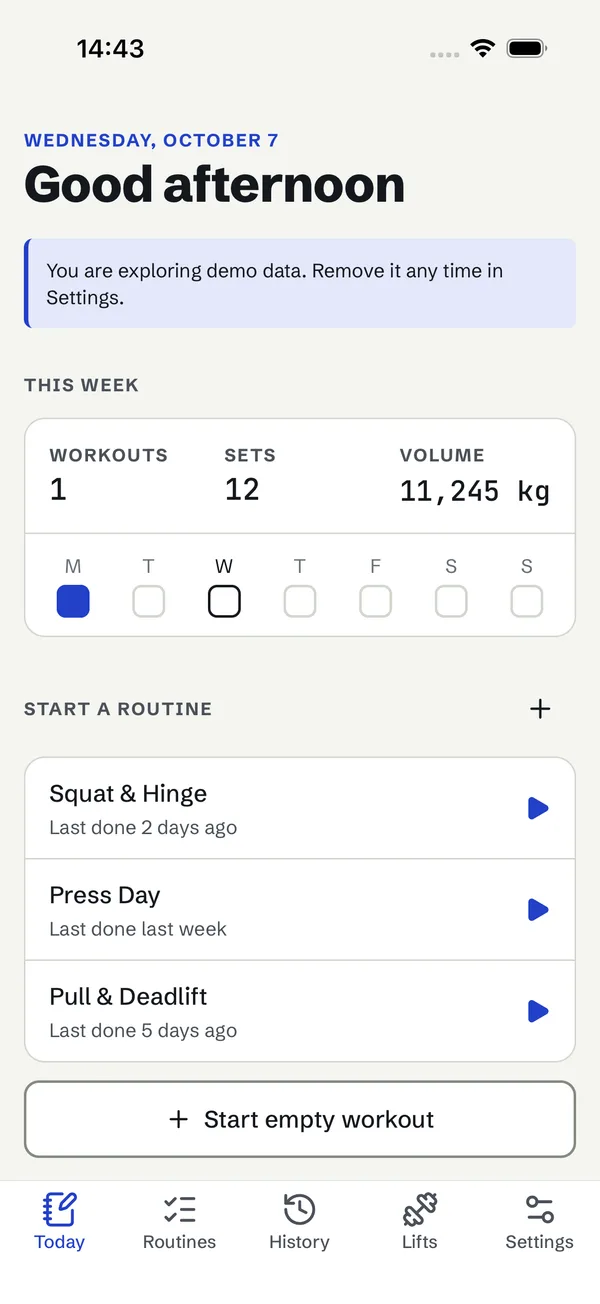
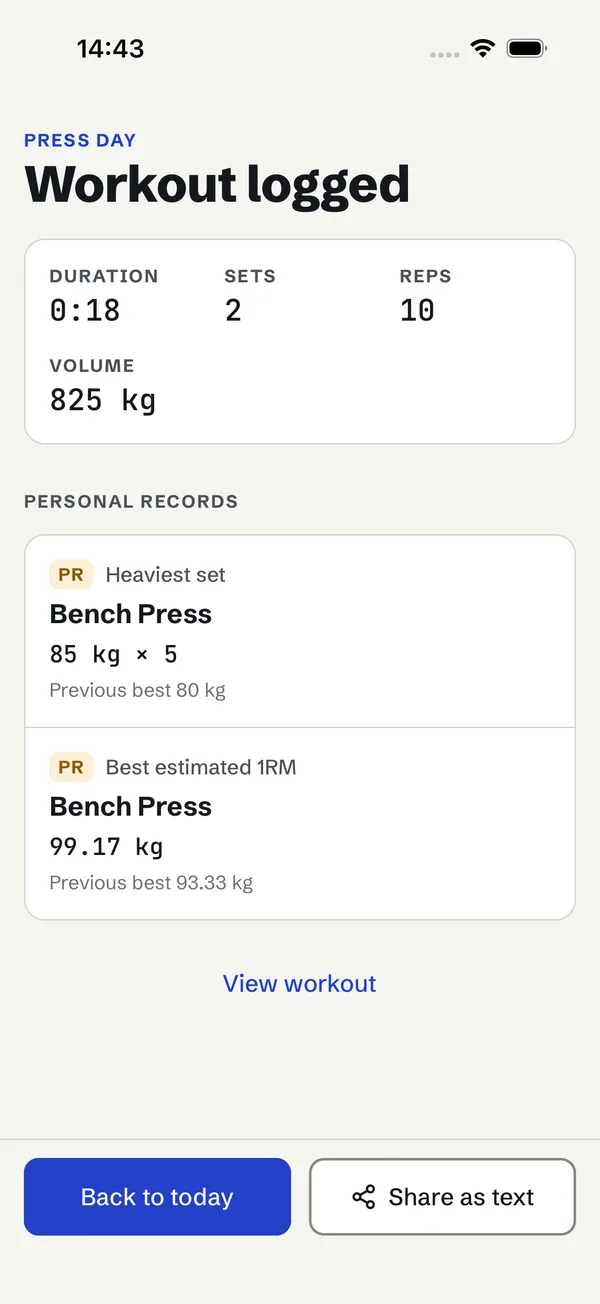
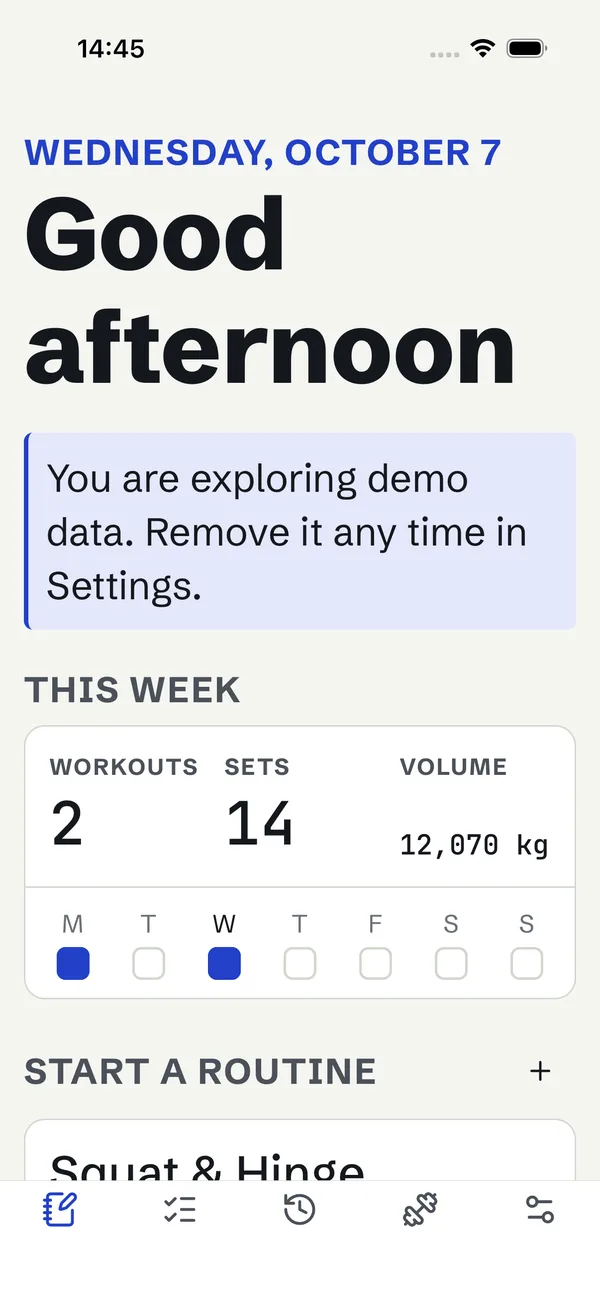
No mockups: these are screenshots of the app in this package, taken during native QA.
Inside the package
repkivo/
├── app/
│   ├── app/            # expo-router screens = deep links
│   ├── src/domain/     # pure TS: sessions, records, maths
│   ├── src/state/      # store + persistence
│   ├── src/data/       # storage adapter + migrations
│   ├── src/services/   # notifications, files, haptics
│   ├── src/i18n/en.ts  # every string
│   ├── brand.config.json
│   ├── .maestro/       # device journey flows
│   └── __tests__/      # 49 Jest tests
├── docs/               # build, signing, rebrand, scope
└── showcase/ # this page, staticrepkivo://workout)ios/ or android/Install
Requirements: Node.js 22.13+. iOS: macOS with Xcode 26.4+. Android: Android Studio with SDK 36 and JDK 17. No accounts or paid services are needed to run it.
# unzip, then
cd repkivo/app
npm ci
npm run check          # typecheck + lint + tests

npx expo run:ios       # iOS simulator
npx expo run:android   # Android emulator or device

# release builds (bundle embedded)
npx expo run:ios --configuration Release
npx expo run:android --variant release
# rebrand: edit app/brand.config.json
# appName, scheme, bundle IDs, colours
npm run brand:icons # icons + splash
npx expo prebuild --clean
# native journeys on a running device
maestro test .maestroVerification
This web page is a showcase. It is not the app and it is not proof that the app runs — the native results below are.
| Target | How | Result |
|---|---|---|
| Logic and screens | 49 Jest tests: domain maths, persistence, recovery, router journeys | Passed |
| iOS simulator | Clean Release build on iOS 26.5 (Xcode 27); 6 Maestro journeys including background, process kill and restore; largest accessibility text; Reduce Motion | Passed |
| Android emulator | Clean Release build on Android 16 (API 36); the same 6 journeys; 200 % font scale; animations off | Passed |
| Physical iPhone | Release build signed with a free personal team on an iPhone 14 Plus (iOS 26.6.2): the 6 journeys through Appium and XCUITest, including background, process kill and restore; Apple’s on-device accessibility audit; cold-launch and scroll-hitch traces | Passed |
| Physical Android phone | Release build on a Samsung Galaxy A24 (Android 16, Turkish system language): the 6 Maestro journeys including background, process kill and restore; label and touch-target audit; frame timing, memory and cold starts | Passed |
| Screen readers | TalkBack on the Galaxy A24: start a routine, move through the workout, tick a set, hear the rest announcement, skip rest, open and cancel the finish dialog. VoiceOver on the iPhone: headings, control roles and states, the rest announcement and alert focus on every main screen | Passed |
Scope
No. It is React Native source that compiles to native iOS and Android apps. This page only shows screenshots of those builds.
No. Local builds with Xcode and Android Studio work out of the box. EAS Build is optional and has its own pricing.
Yes. Storage sits behind a small adapter interface and the backup format doubles as a sync payload. Neither is included or pre-configured.
An Apple Developer Program membership for the App Store and a Google Play developer registration. Nothing in the template is paid.